
We’ve all been there: you’ve spent hours filming the perfect content, but when it’s time to edit, you feel overwhelmed. You want those seamless transitions, catchy captions, and viral-ready music syncs, but you don’t have a degree in film production or a thousand dollars for professional software.
The good news? You don’t need it. In 2026, some of the most powerful video editing tools are sitting right in your pocket, completely free to use. Whether you are a small business owner, an aspiring influencer, or just someone who wants their vacation Reels to look cinematic, the right app can turn a collection of raw clips into a scroll-stopping masterpiece in minutes.
Why Mobile Editing Apps Are Game Changers
Unlike traditional desktop software, mobile editors like CapCut or InShot are built specifically for the “short-form” mindset. They prioritize speed, vertical framing (9:16 aspect ratio), and social media trends.
When you use an app designed for the platform, you aren’t just cutting footage; you’re using built-in features that the algorithms love, such as auto-captions, trending sound libraries, and one-tap color correction. If you’re serious about growing your reach in the USA, learning one of these tools is your most efficient path to professional-looking results.
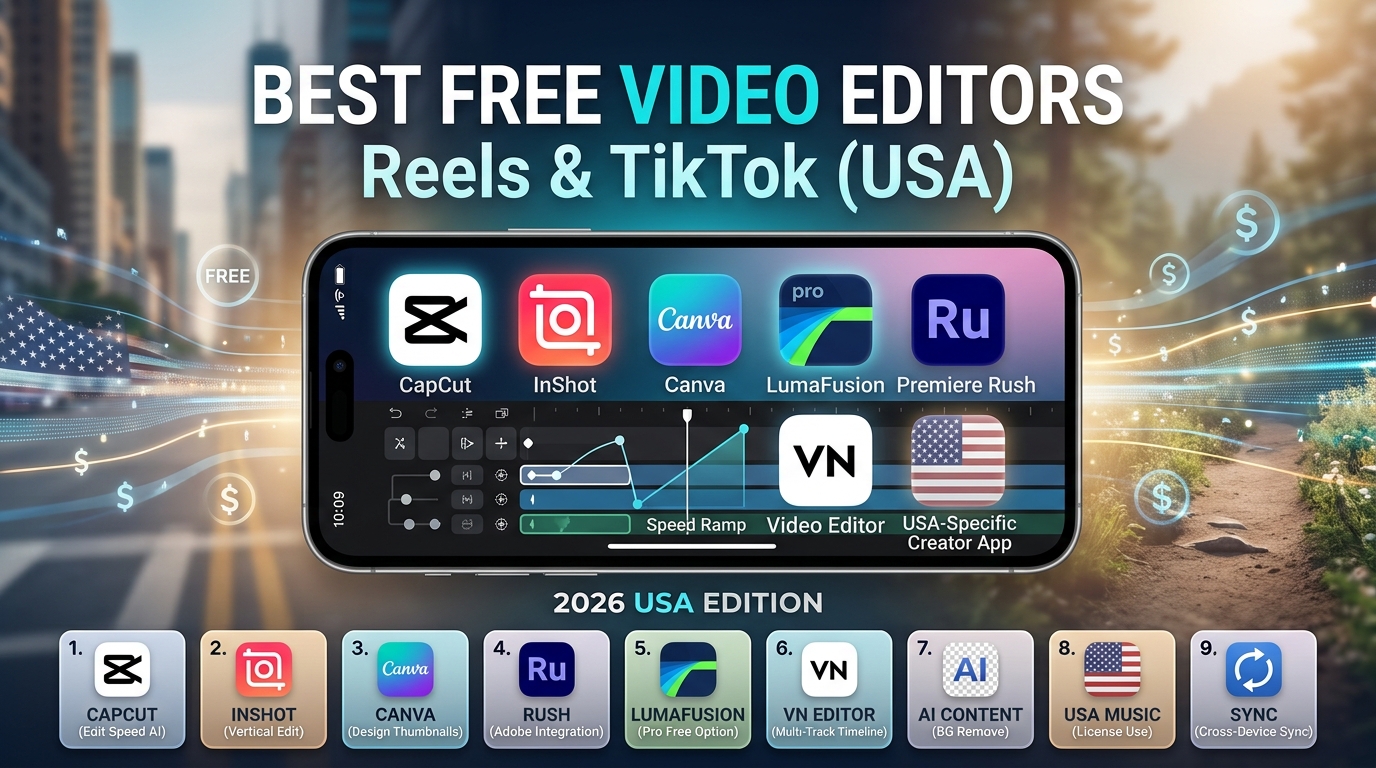
1. CapCut: The All-in-One Powerhouse
If you spend even five minutes scrolling through TikTok or Instagram, you are likely looking at a video edited in CapCut. It is widely considered the industry standard for mobile creators because it bridges the gap between amateur ease and professional capability.
Why it stands out:
-
Template Ecosystem: You can click “Use Template” on a viral video you see and simply swap in your own clips. It handles all the timing and transitions automatically.
-
AI-Powered Features: Features like “Auto-Captions” (which transcribe speech into stylish text) and “Background Removal” are lifesavers for solo creators.
-
Cross-Platform: You can start a draft on your phone and finish it on your computer via the web or desktop app.
Best for: Creators who want to jump on trends quickly and need high-quality effects without technical knowledge.
2. InShot: The King of Simplicity
Sometimes you just need to trim a clip, add some text, and get it out the door. InShot has stayed relevant for years because it doesn’t try to be a complicated “pro” editor; it focuses on being the fastest way to get a video ready for social media.
Key advantages:
-
Intuitive Timeline: The interface is incredibly clean. If you can drag and drop a photo, you can edit a video in InShot.
-
Canvas Controls: It offers excellent background blur tools, making it easy to turn horizontal clips into professional-looking vertical Reels without black bars.
-
Sticker Library: If you make lifestyle or educational content, their massive collection of emojis and motion stickers adds personality instantly.
Best for: Social media managers and solo creators who prioritize speed over complex visual effects.
3. VN Video Editor: The Professional’s Choice
If you find CapCut too “busy” or you’re tired of watermarks, VN (VlogNow) is your best alternative. It offers a “multi-track” timeline similar to professional desktop software like Adobe Premiere Pro, but keeps it accessible on a touchscreen.
Why creators love it:
-
No Watermarks: Unlike many “free” apps that hide exports behind a paywall, VN is genuinely free for most high-quality exports.
-
Curve Speed Ramping: You can create those smooth cinematic slow-motion effects that make action shots look high-end.
-
Precise Editing: It allows for frame-by-frame precision, perfect if you are editing dance videos or music-synced content.
Best for: Creators who want a watermark-free, professional-grade experience without a monthly subscription.
4. Adobe Premiere Rush: The Desktop Integration
For those already embedded in the Adobe ecosystem, Premiere Rush is the mobile companion to the industry-standard Premiere Pro. While it is more scaled-back than the others on this list, its greatest strength is workflow integration.
Why consider it:
-
Syncing: Projects created on your phone can be opened directly in Adobe Premiere Pro on your computer for advanced final touches.
-
Pro Quality Audio: Adobe’s built-in audio cleanup tools are often superior to those found in casual editing apps.
-
Clean Look: The interface is professional and free of “gimmicky” stickers or filters.
Best for: Content creators who plan on moving their workflow to a desktop computer eventually.
Comparison Summary: Which One Should You Pick?
Choosing the right app depends entirely on your specific workflow. Use this quick guide to make your decision:
| App | Best Feature | Learning Curve | Recommended For |
| CapCut | AI Templates | Low | Beginners & Trend-chasers |
| InShot | Speed & Stickers | Very Low | Quick edits & daily vlogs |
| VN Editor | Professional Timeline | Medium | Cinematic & Detail-oriented |
| Premiere Rush | Adobe Cloud Sync | Medium | Aspiring Pro Editors |
Pro Tips for Better Reels and TikToks
Even the best software won’t save a boring video. To truly stand out, focus on these three fundamentals:
-
The Hook: The first 3 seconds of your video determine whether someone keeps scrolling. Start with movement, a question, or a bold statement.
-
Edit for Rhythm: Don’t just cut when you feel like it. Cut on the beat of the music. It makes the video feel intentional and professional.
-
Prioritize Audio: Viewers will forgive slightly grainy video, but they will scroll away immediately if the audio is echoey or hard to hear. Use a lapel mic or record in a quiet room.
-
Keep it Simple: Avoid “over-editing.” You don’t need a transition between every single clip; sometimes, a clean “jump cut” is more engaging.
Final Thoughts
You don’t need to spend money to produce high-quality social media content. For 90% of users in the USA, CapCut remains the king of convenience, while VN Video Editor is the best choice for those who value clean, watermark-free production.
The “best” app is simply the one you find comfortable enough to open every single day. Start with one, spend an hour learning the basic shortcuts, and you will be amazed at how quickly your content quality improves.
Frequently Asked Questions (FAQs)
1. Are these apps truly free?
Most of these apps follow a “freemium” model. They provide 90% of their tools for free (including exports), while locking advanced AI features or premium assets behind a subscription. For Reels and TikTok, the free versions are usually more than enough.
2. Which app is best for beginners?
CapCut is the best for beginners because of its massive library of templates. You can effectively let the AI do the “heavy lifting” while you learn the ropes of the interface.
3. Do these apps put watermarks on my videos?
VN Video Editor is completely watermark-free. CapCut and InShot often add a “default” ending clip with their logo, but you can usually delete this layer in the timeline before exporting for free.
4. Will editing on a phone drain my battery?
Yes, video rendering is intensive. If you are editing a long project, try to keep your phone plugged in or have a power bank nearby to avoid mid-edit crashes.
5. How do I get high-quality exports?
Always check your export settings. Aim for 1080p resolution at 30 or 60 frames per second (fps). Going higher to 4K on a mobile device can sometimes lead to lag during editing and longer upload times without a noticeable difference on small mobile screens.