
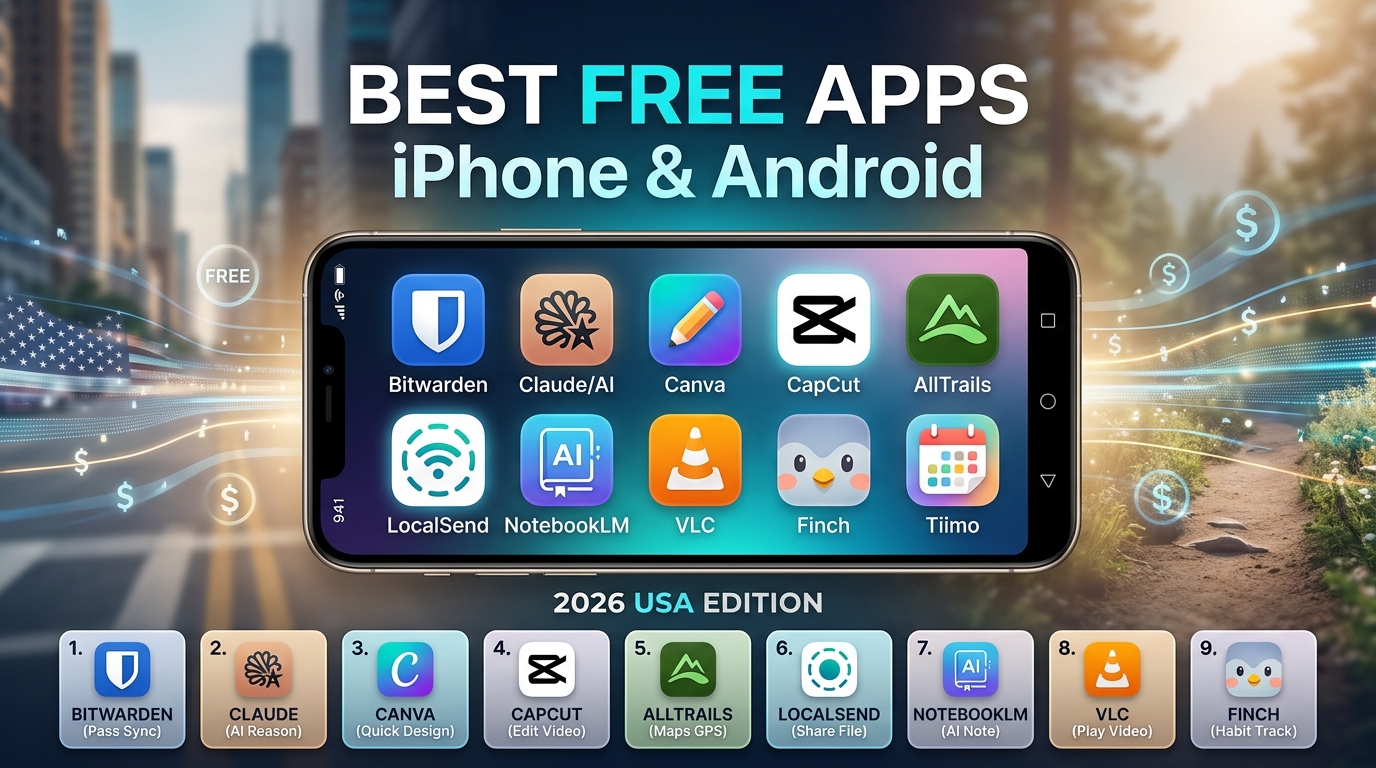
If there is one universal frustration we all share in 2026, it is downloading an exciting new application to our smartphone, opening it up, and immediately being slammed with a $9.99 per week subscription paywall just to get past the loading screen. We call it “subscription fatigue,” and it has forced millions of smartphone users to endlessly hunt for software that actually respects their wallets.
Whether you are holding the latest iPhone or a cutting-edge Android device, your smartphone is essentially a blank canvas. The hardware is incredible, but it is the software—the apps you interact with daily—that determines whether your phone is a stressful distraction or a powerful tool. Finding high-quality, fully functional free applications can feel like searching for a needle in a digital haystack.
Fortunately, as we move through 2026, the app market has seen a beautiful resurgence of developers offering incredibly robust free tiers. Open-source communities are thriving, and major tech companies are offering powerful tools at no cost to bring users into their ecosystems.
To save you the headache of trial and error, we have tested, vetted, and compiled the ultimate guide to the Best Free Apps for iPhone and Android in the USA – 2026 Edition. This list is entirely focused on apps that solve real, everyday problems without forcing you to pull out a credit card. No cheap gimmicks, no hidden trials—just pure, productivity-boosting, life-enhancing software. Let’s dive right in!
Master Your Workflow: The Best Free Productivity Apps
We all want to get more done in less time, but the default apps that come pre-installed on your phone often lack the nuance and features needed to manage a busy, modern life. These three productivity apps are total game-changers.
1. TickTick: The Ultimate To-Do List and Task Manager
If you find yourself constantly forgetting small tasks or feeling overwhelmed by a chaotic schedule, TickTick is the perfect antidote. While there are dozens of to-do list apps out there, TickTick stands out in 2026 for its sheer versatility and completely free core experience.
The Real Problem it Solves: Entering tasks manually takes too much time. TickTick uses brilliant Natural Language Processing (NLP). You can simply type, “Pick up the dry cleaning every Friday at 5 PM,” and the app will instantly create a recurring task with an alarm attached.
Best Free Tier Features: Unlike competitors that lock essential features behind paywalls, TickTick’s free version gives you access to an integrated calendar view, voice input, and a built-in Pomodoro timer. The Pomodoro feature is specifically designed to prevent burnout, allowing you to work in 25-minute focused bursts followed by a 5-minute break. Furthermore, it syncs seamlessly across iOS, Android, Mac, and Windows, meaning your grocery list or project board is always right in front of you, regardless of the screen you are looking at.
2. LocalSend: Seamless File Sharing Across Any Device
Have you ever tried to send a large 4K video from your Android phone to a friend’s iPhone, or from an iPad to a Windows PC? It is a famously terrible experience. Ecosystem walls usually force you to compress the file over an email, upload it to cloud storage, or use a messy third-party messaging app.
The Real Problem it Solves: Breaking down the barrier between Apple and Android. LocalSend is the ultimate universal alternative to AirDrop and Nearby Share.
Best Free Tier Features: This application is 100% free, incredibly open-source, and entirely ad-free. It does not require an internet connection, a subscription, or even an account creation. LocalSend operates over your local Wi-Fi network. You simply open the app on both devices, select your files, and send them over at lightning-fast local network speeds. It is a mandatory download for anyone who owns multiple devices across different operating systems.
3. Raindrop.io: The Only Bookmark Manager You Will Ever Need
If your mobile web browser currently has 87 open tabs because you are “saving them for later,” you are a digital hoarder. It is okay; we have all been there.
The Real Problem it Solves: The native bookmarking tools in Chrome or Safari are clunky and don’t visually organize your saved content. Raindrop.io is designed to replace your messy browser bookmarks by acting as a highly organized, visual “read-it-later” hub.
Best Free Tier Features: You can save articles, YouTube videos, PDFs, and recipes from any app using your phone’s native “Share” sheet. Raindrop.io allows you to organize these saves into distinct folders with custom tags. The free version offers unlimited bookmarks across unlimited devices. The app even features a clean “Reader View” that strips away annoying ads and pop-ups from articles, making reading on your morning commute a peaceful, distraction-free experience.
Your Personal Geniuses: The Best Free AI Assistants
Artificial Intelligence was the defining trend of the past few years, but in 2026, these tools have matured from gimmicky chatbots into genuinely indispensable life assistants.
4. Google Gemini
Google’s Gemini has rapidly evolved to become one of the most downloaded and utilized AI applications across the USA. Whether you are using an Android or an iPhone, having this app on your home screen is like carrying around a team of researchers in your pocket.
The Real Problem it Solves: Sifting through endless Google search results to find a single piece of information is tedious. Gemini gives you the exact answer immediately.
Best Free Tier Features: For Android users, Gemini deeply integrates with your operating system. You can prompt it to summarize a massive PDF document you just received in Gmail, or ask it to pull data directly from your Google Drive. For iPhone users, the standalone app offers a brilliant, conversational interface where you can take a picture of the ingredients in your fridge, upload it, and ask, “What healthy dinner can I make with these?” Within seconds, you have a customized, step-by-step recipe. It is powerful, completely free, and incredibly fast.
5. ChatGPT
OpenAI’s ChatGPT remains a titan in the mobile app space. With well over 200 million downloads, its 2026 iteration is smoother, smarter, and incredibly intuitive.
The Real Problem it Solves: Staring at a blank page. Whether you need to draft an awkward email to your boss, brainstorm birthday party ideas for a toddler, or understand a complex mathematical concept, ChatGPT is your ultimate sounding board.
Best Free Tier Features: The free tier gives you access to a highly advanced language model that can converse naturally. One of the standout features of the mobile app is the “Voice Mode.” You can put on your headphones while taking a walk and have a fluid, back-and-forth verbal conversation with the AI. It feels less like using a software application and more like calling an exceptionally brilliant friend for advice.
Uncompromising Security: The Best Free Privacy App
In 2026, the volume of digital accounts the average person manages is staggering. Trying to remember different, complex passwords for your bank, your social media, your streaming services, and your email is a human impossibility.
6. Bitwarden
Using “Password123!” for everything or storing your passwords in your phone’s unencrypted Notes app is an invitation for identity theft. You need a dedicated password manager, and Bitwarden is the undisputed king of free security.
The Real Problem it Solves: Eliminating password reuse and preventing account hacking.
Best Free Tier Features: Unlike major competitors that now charge hefty annual fees or restrict you to using the app on a single device, Bitwarden is completely free and completely open-source. The free tier offers unlimited password storage across unlimited devices—meaning it syncs flawlessly between your iPhone, your Android work phone, and your home laptop. It features military-grade zero-knowledge encryption, meaning even the engineers at Bitwarden cannot see your data. It also fully integrates with the auto-fill capabilities of iOS and Android, allowing you to log into websites securely with a quick face scan or fingerprint tap.
Empower Your Mind: The Best Free Education and Self-Care Apps
Our phones are often criticized for damaging our mental health, but the right applications can actually reverse that trend, fostering personal growth, mindfulness, and knowledge.
7. Nibble: Bite-Sized Learning
If you are trying to break the habit of doomscrolling through negative news or endless short-form videos, you need to replace that habit with something engaging. Nibble is taking 2026 by storm as the ultimate app for curious adults.
The Real Problem it Solves: Learning new things usually requires hours of dedication or expensive online courses. Nibble delivers profound knowledge in micro-doses.
Best Free Tier Features: Nibble offers lessons that take less than 10 minutes to complete. You can explore topics ranging from Greek Philosophy and Criminology to Personal Finance and Biology. The app uses interactive text, short quizzes, and engaging graphics. It is the perfect app to open when you are waiting in line for coffee or sitting on the train. You get the dopamine hit of using your phone, combined with the real-world benefit of actually learning something valuable.
8. Finch: Self-Care Pet
Maintaining your mental health and sticking to daily habits is tough. Traditional habit trackers are often rigid, boring, and guilt-inducing when you fail. Finch takes a profoundly different approach by gamifying your self-care.
The Real Problem it Solves: Making mundane but vital self-care tasks (like drinking water, taking medication, or simply getting out of bed) feel rewarding rather than exhausting.
Best Free Tier Features: When you download Finch, you are given an adorable virtual pet bird. The only way your pet grows, explores the world, and stays happy is if you complete your real-life self-care tasks. If you log that you took a 10-minute walk, your bird gets energy. If you do a quick in-app breathing exercise, your bird gains confidence. It sounds incredibly simple, but the psychology behind it is remarkably effective. The free version provides massive value, offering journaling prompts, mood check-ins, and a wonderfully positive user interface that never shames you for having a bad day.
Creative Powerhouses: The Best Free Design and Video Apps
We are all digital creators now. Whether you are managing a small business, designing a flyer for a community bake sale, or editing a funny video for your friends, mobile creativity tools have never been stronger.
9. Canva
If you need graphic design work done but do not have a degree in advanced software, Canva is your best friend. It has completely democratized the design process.
The Real Problem it Solves: Making professional-looking graphics used to require expensive desktop software and hours of tutorials. Canva makes it drag-and-drop simple.
Best Free Tier Features: The Canva mobile app gives you access to thousands of highly aesthetic, pre-formatted templates. Need to make an Instagram story, a YouTube thumbnail, a resume, or a wedding invitation? Canva has a template for it. The free version is astonishingly generous, allowing you to upload your own photos, add stylish typography, and export high-resolution images instantly. It turns a one-hour design headache into a fun, five-minute task.
10. CapCut
Video is the dominant form of communication on the internet. CapCut has exploded in popularity (frequently topping the App Store and Google Play charts) because it packs desktop-level video editing power into a mobile interface.
The Real Problem it Solves: Editing videos on a phone used to be incredibly frustrating, with laggy interfaces and terrible export qualities.
Best Free Tier Features: CapCut allows you to trim clips, add transitions, overlay music, and apply filters with extreme precision. Its most powerful free feature is the auto-captioning tool, which uses AI to accurately transcribe the audio in your video and turn it into dynamic subtitles—a crucial feature since most people watch mobile videos with the sound off. It is intuitive enough for a beginner making a family montage, but robust enough for a professional social media manager.
Moving Your Body: The Best Free Health and Fitness Apps
Fitness tracking has become heavily commercialized, but you do not need to buy a $300 smartwatch or a monthly fitness subscription to stay active and healthy.
11. AllTrails
For those who want to disconnect from screens and get into nature, AllTrails is an absolute necessity.
The Real Problem it Solves: Finding safe, accurate, and properly rated outdoor trails can be difficult, especially if you are traveling or new to a city.
Best Free Tier Features: The free tier of AllTrails acts as an enormous database of hiking, running, and mountain biking trails across the USA. It uses your GPS to show you nearby trails, complete with difficulty ratings, elevation gains, and thousands of user reviews offering real-time updates (e.g., “The bridge at mile two is washed out right now!”). You can track your hike natively within the app, ensuring you never get lost in the woods.
12. Strava
If you run, cycle, or walk, Strava is the ultimate digital companion. It is often described as a social network for athletes.
The Real Problem it Solves: Working out alone can drain your motivation. Strava builds accountability through community.
Best Free Tier Features: The free version allows you to track your outdoor workouts using your phone’s GPS. It maps your route, records your pace, and tracks your elevation. The magic happens when you finish your workout and it uploads to your feed, where friends can give you “Kudos” (likes) and comment on your effort. It integrates seamlessly with both Apple Health and Google Fit, creating a centralized hub for all your physical activity data.
Frequently Asked Questions (FAQ)
1. Are these apps genuinely free, or are they disguised as free trials? Every application highlighted on this list has a robust, permanent free tier. While some of these apps (like Canva, TickTick, or Strava) offer optional “Pro” or “Premium” subscriptions for advanced power-user features, their base free versions are incredibly capable and can be used indefinitely without ever spending a dime. You are not forced into a 7-day trial that automatically charges you later.
2. Should I worry about my privacy when using free applications? It is a valid concern, as the old saying goes: “If the product is free, you are the product.” However, apps like Bitwarden and LocalSend are entirely open-source, meaning their code is publicly audited by security professionals to ensure they aren’t stealing your data. For apps like Gemini or ChatGPT, your prompts are processed by their servers, so it is always a good rule of thumb to never input highly sensitive personal information (like social security numbers or private financial data) into an AI chatbot.
3. Why should I download these third-party apps instead of just using Apple or Google’s built-in options? While built-in apps like Apple Reminders or Google Password Manager are convenient, they are often designed to lock you into their specific ecosystem. If you switch from an iPhone to an Android next year, migrating your data can be a nightmare. Utilizing third-party, cross-platform applications like TickTick, Bitwarden, or Raindrop.io ensures your data belongs to you and seamlessly syncs across any piece of hardware you choose to buy in the future.
4. Will downloading all these apps drain my smartphone’s battery life? Simply having an app installed will not drain your battery. Battery drain occurs when apps are constantly running heavy processes in the background. To maintain optimal battery health on both iOS and Android, go into your device settings and turn off “Background App Refresh” for any app that doesn’t strictly need to fetch data when you aren’t looking at it.
Conclusion
Navigating the mobile app landscape in 2026 does not require a massive budget; it just requires intentionality. Your smartphone is arguably the most powerful tool you own, and by equipping it with the right software, you can radically transform how you work, learn, and play. Whether you are locking down your digital security with Bitwarden, finding your next great outdoor adventure with AllTrails, or organizing your chaotic schedule with TickTick, these free applications offer premium solutions to real-world problems.
Take a few minutes today to delete the clutter, clear out the apps you haven’t opened in months, and download a few of these incredible free tools. By curating your home screen with apps that truly serve you, you take back control of your digital life—without spending a single cent.