
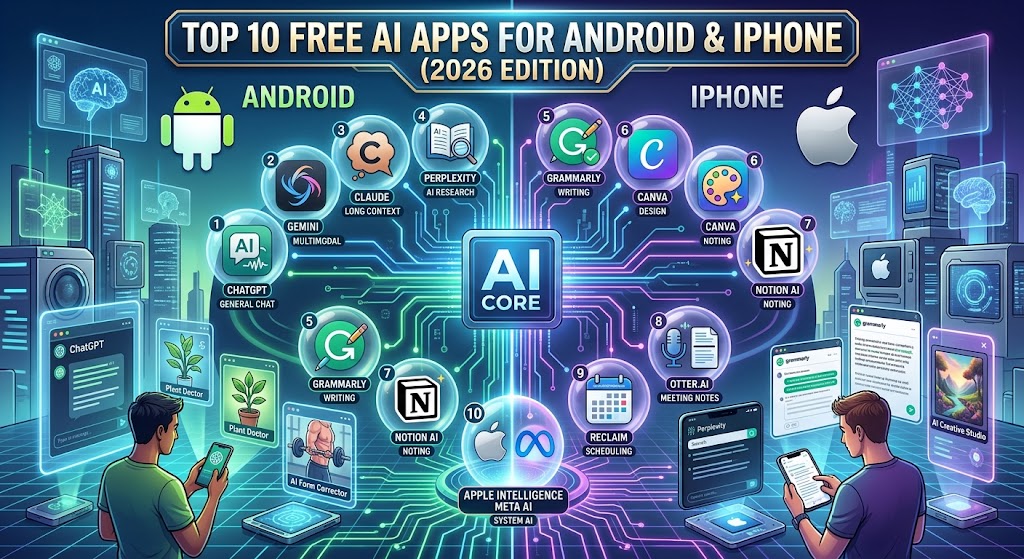
At-a-Glance: Top 10 Free AI Apps for Mobile (2026)
If you are looking for quick recommendations tailored to your specific workflow, use this summary table to find the best tool for your mobile device.
| App Name | Primary Use Case | Free Tier Offering | Ideal Platform |
| ChatGPT | All-Around Assistant & Voice | Free base model access + Voice Mode | Android & iOS |
| Google Gemini | Workspace & Android Integration | Deep integration with Gmail, Docs, Maps | Android & iOS |
| Perplexity AI | Sourced Real-Time Research | Conversational web search with direct citations | Android & iOS |
| Microsoft Copilot | Productivity & Free Image Gen | Free access to latest models + DALL-E integration | Android & iOS |
| Claude by Anthropic | Long-Form Writing & Reasoning | High-accuracy text analysis & natural writing | Android & iOS |
| NotebookLM | Document & Source Research | Grounded insights from uploaded PDFs & Audio Overviews | Mobile Web / PWA |
| Canva AI | Mobile Graphic Design | Free Magic Studio tools & quick image editing | Android & iOS |
| ElevenReader | AI Text-to-Speech | High-quality natural voice reading for files/articles | Android & iOS |
| Arc Search | Smart Mobile Web Browsing | “Browse for Me” custom AI summary pages | iOS & Android |
| Grammarly Keyboard | AI Writing & Grammar Check | Real-time tone checking and smart autocomplete | Android & iOS |
The Shift in Mobile Artificial Intelligence
Mobile AI applications have evolved beyond novelty chatbots into specialized, native mobile assistants. Mobile processors now leverage dedicated Neural Processing Units (NPUs) to execute background tasks, handle instant voice interactions, and compress long-form research without draining device battery life.
Whether you need to generate high-quality visual content, summarize complex documents during a commute, or automate daily writing tasks, choosing the right mobile tool makes all the difference.
Based on hands-on testing across recent flagship and mid-range devices—including Google Pixel, Samsung Galaxy, and Apple iPhone models—we have compiled the definitive guide to the best free AI apps available today.
Deep-Dive Review of the Best Free AI Mobile Apps
Work through our detailed breakdown to find the application that best fits your daily mobile requirements.
1. ChatGPT (OpenAI) – Best Overall All-Rounder
ChatGPT remains the gold standard for mobile AI applications. Its native mobile application features fluid voice controls, allowing users to conduct hands-free conversations while walking or multi-tasking.
-
Key Strengths: Multimodal capabilities (text, vision, and voice), real-time web browsing on the free tier, and rapid response times.
-
Best Mobile Feature: Advanced Voice Mode for hands-free brainstorming and real-time audio translation.
2. Google Gemini – Best for Google Ecosystem Users
For users whose workflows rely heavily on Google Workspace, Gemini provides native system-level utility. It connects directly with your personal ecosystem, allowing you to query information stored across your personal tools.
-
Key Strengths: Seamless cross-app functionality with Gmail, Google Drive, Google Maps, and YouTube.
-
Best Mobile Feature: Deep Android OS integration, replacing standard digital assistants for direct context-aware phone commands.
3. Perplexity AI – Best for Sourced Research
Perplexity acts as an answer engine designed to eliminate manual search engine filtering. Instead of returning a list of links, it synthesizes current web data into structured answers accompanied by inline citations.
-
Key Strengths: Verified source links for every fact, collections feature to organize projects, and tailored search focus modes.
-
Best Mobile Feature: “Focus Mode” allowing users to filter research specifically across academic papers, YouTube, or Reddit discussions.
4. Microsoft Copilot – Best for Free High-End Features
Copilot offers exceptional value on mobile devices by giving free users access to premium model architectures and built-in image generation without mandatory subscription tiers.
-
Key Strengths: Integrated DALL-E image generation, native Microsoft 365 export functionality, and web search integration.
-
Best Mobile Feature: Quick export toggles to push AI-generated text directly into Word documents or Outlook drafts.
5. Claude by Anthropic – Best for Nuanced Writing and Code
Claude is recognized for delivering natural, human-like text responses and demonstrating high reasoning accuracy. Its mobile interface makes reviewing complex documents or refining long-form text effortless.
-
Key Strengths: Highly natural tone, strong context retention, and strict safety guardrails.
-
Best Mobile Feature: Clean, typography-focused reading interface optimized for long text outputs and document analysis.
6. NotebookLM (Google) – Best for Source-Grounded Study
While primarily accessible via mobile browsers, NotebookLM has become an essential free utility for students and researchers. Upload your notes, PDFs, or slides, and the app generates a localized knowledge base that strictly answers from your uploaded materials.
-
Key Strengths: Zero hallucinations outside uploaded files; automatically generates interactive “Audio Overviews” (podcast-style deep dives).
-
Best Mobile Feature: One-tap audio generation that converts dense PDF reading lists into downloadable, conversational audio summaries.
7. Canva AI (Magic Studio) – Best for Mobile Visual Design
Canva’s mobile application incorporates AI design tools directly into its photo and video editing canvas, making visual asset creation accessible without desktop software.
-
Key Strengths: Magic Eraser, AI image generation, automated photo background removal, and smart layout suggestions.
-
Best Mobile Feature: One-tap object replacement and instant social media banner formatting.
8. ElevenReader (ElevenLabs) – Best for AI Text-to-Speech
ElevenReader transforms how users consume written media on mobile devices. Powered by ElevenLabs’ ultra-realistic voice models, it converts articles, PDFs, e-books, and web pages into human-sounding audio.
-
Key Strengths: Broad selection of natural-sounding voices, support for multiple document formats, and customizable playback speeds.
-
Best Mobile Feature: Instant URL pasting to turn online news and long articles into personalized audio tracks.
9. Arc Search – Best for Smart AI Web Browsing
Arc Search reimagines the mobile browser by prioritizing direct answers over traditional search result pages. Its headline feature builds a customized webpage synthesized from multiple web sources for any search query.
-
Key Strengths: Integrated ad and tracker blocking, automated tab archiving, and clean reader views.
-
Best Mobile Feature: The “Browse for Me” button, which builds a tailored, visually structured page answering complex queries instantly.
10. Grammarly Keyboard – Best for Real-Time Writing Assistance
Grammarly replaces standard mobile keyboards with an AI writing assistant that checks spelling, tone, and sentence structure across all your installed applications.
-
Key Strengths: Real-time tone detection, one-tap sentence rephrasing, and contextual grammar correction.
-
Best Mobile Feature: System-wide accessibility that works inside WhatsApp, Slack, Gmail, and notes apps seamlessly.
Common Pitfalls & Mistakes to Avoid
When utilizing free AI applications on mobile platforms, users often encounter common issues that impair application performance:
-
Exhausting Free-Tier Model Caps: Many free applications provide high-tier processing models for a limited number of requests per hour before switching to smaller, faster models. Save your complex queries for peak productive hours.
-
Ignoring Background Battery Drain: Mobile AI applications that run continuous voice streaming or background indexing consume battery quickly. Terminate background processes when not actively using voice modes.
-
Granting Overly Broad Permissions: Avoid granting storage or full contacts access to lightweight AI utilities unless explicitly required for core functionality.
Security, Privacy, and Data Protection
Maintaining security is critical when deploying AI apps on personal devices:
-
Audit Conversation History Training: By default, several platforms utilize user chats to train future models. Navigate to Settings > Data Controls in apps like ChatGPT or Claude to opt out of model training.
-
Verify Official Downloads: Download AI applications exclusively from the Google Play Store or Apple App Store. Avoid third-party side-loading sources that may package modified software containing malware.
-
Avoid Inputting Sensitive Personal Information: Do not submit passwords, financial data, or sensitive work documents into personal free-tier AI chat applications.
Frequently Asked Questions
Are these mobile AI apps truly free to use?
Yes. All apps on this list offer fully functional free tiers. While several offer optional paid subscriptions for heavy power users, their core features remain accessible without entering credit card details.
Do mobile AI apps require a constant internet connection?
Most mobile AI apps require an active Wi-Fi or cellular data connection to process queries on cloud server clusters. Small offline models exist, but cloud-connected apps deliver higher quality and current web data.
Will using AI applications drain my phone’s battery faster?
Standard text-based chat uses minimal power. However, intensive features—such as real-time voice streaming, background camera usage, or local image rendering—will increase NPU usage and drain battery faster than standard browsing.
Conclusion & Next Steps
Selecting the right free mobile AI application depends on your daily routines:
-
For general productivity and voice assistant needs, start with ChatGPT or Google Gemini.
-
For academic research and news updates, download Perplexity and Arc Search.
-
For document synthesis and mobile studying, utilize NotebookLM and ElevenReader.
Installing two or three complementary apps will optimize your mobile workflows without cluttering your home screen.